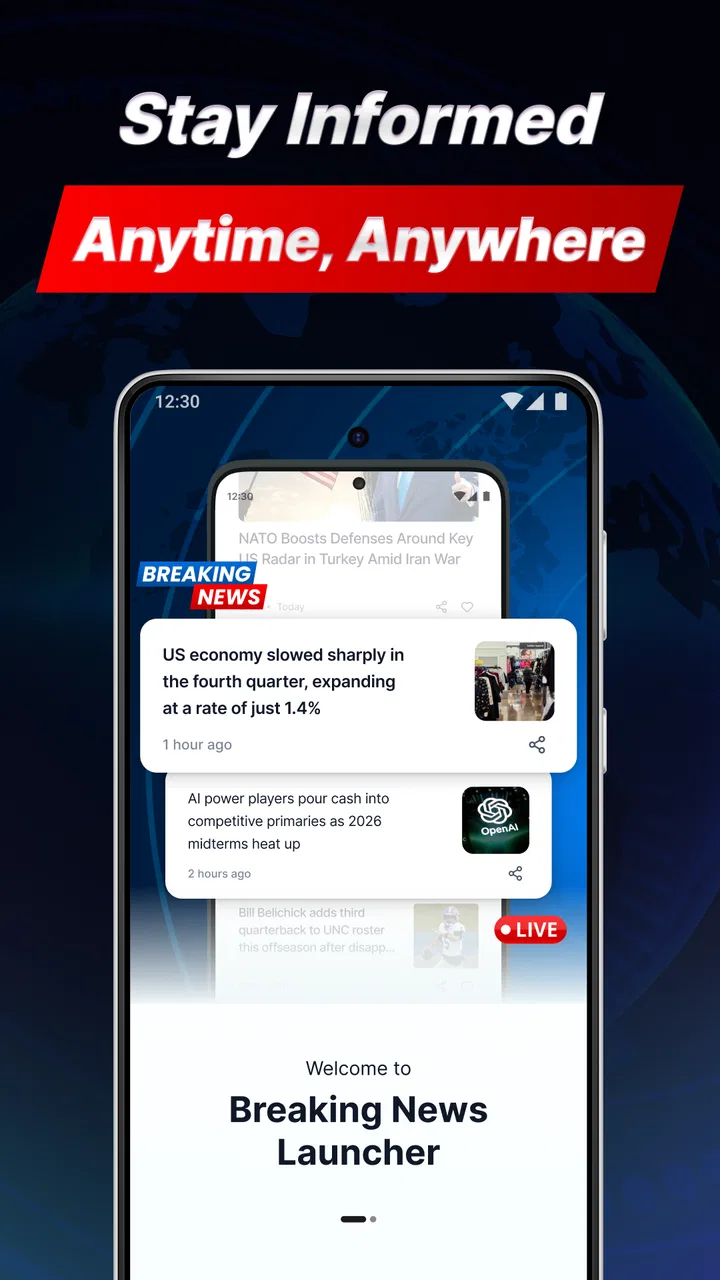
Breaking News Launcher
- 4.3
- Rating
- 10.00K
- Installs
- Free
- Price

 Analysis by App-foxy
Breaking News Launcher is the kind of news app I would install when I want information to meet me at the point where I already start using my phone. Instead of opening a conventional news reader and choosing a section from a crowded home screen, the app is built around the idea of making news the first useful stop in a daily routine. Its coverage focus includes business, sports, entertainment, and technology, while a local weather forecast service adds a practical reason to check in even when I am not actively looking for headlines.
That combination makes it more interesting than a simple list of articles. I see it as a lightweight news-and-weather habit: glance at what is happening, decide what deserves attention, then move on with the rest of the day. The app is free, aimed at users aged 10 and above, and developed by AtomApplications. It currently sits at a 4.3 average from around 80 ratings, with more than 10,000 installs, so it has enough public use to feel established without pretending to be one of the huge names in mobile news.
How I used it in a normal day
My baseline workflow with Breaking News Launcher is deliberately simple. I check it in the morning before leaving home, use the weather information to decide how to dress or whether to carry an umbrella, and scan the news areas that matter most to me. Business and technology are useful for work-related awareness, while sports and entertainment give the app a broader, less formal feel than a strictly financial or political reader.
You May Also Like

 AccuWeather: Weather Radar
AccuWeather Review: A Quick, Clear Forecast for Everyday Decisions
For everyday plans, the best forecast is the one you can understand quickly. AccuWeather makes rain timing, radar, and local conditions easy to act on, with a few trade-offs.

 Hill Climb Racing
Why Hill Climb Racing Still Turns Crashes Into One More Run
A tiny car, a bumpy hill and one more upgrade: Hill Climb Racing keeps resurfacing because its simple chaos makes every near-miss feel personal.

 AliExpress - Shopping App
AliExpress Makes Global Shopping Feel Personal, but Shoppers Bear the Risk
AliExpress turns a global marketplace into a pocket-sized discovery engine. Its reach is useful, its shopping loop compelling, and its trade-offs easy to miss.

 Lords Mobile: Kingdom Wars
Lords Mobile Is a Kingdom-Building Routine, Not a Quick Match
A case-by-case verdict on the building, battles, device demands, and social commitments that make Lords Mobile rewarding for some players and exhausting for others.

 PDF Scanner app - TapScanner
TapScanner Makes Paperwork Easier to Capture, Check, and Share
TapScanner makes scanning with a phone feel less like a rescue operation and more like a dependable step in getting work done. Its capture tools are useful, though not flawless.

 Block Blast!
 Shows How Much a Puzzle Game Can Leave Out
A quiet grid game shows why puzzle players increasingly value instant clarity, repeatable skill and low-pressure play—and where the genre still needs to catch up.
More From Our News Desk
View All News


The important distinction is that I do not treat the first glance as a complete news session. I use it as a filter. A headline can tell me that a story deserves more attention, but I still prefer to open the underlying coverage or consult a trusted specialist source before forming an opinion. That habit prevents a launcher-style news experience from becoming a substitute for careful reading.
A realistic example is a weekday commute. I may have only a minute before walking out the door. A traditional newspaper app can tempt me into browsing several tabs, while a social feed can bury useful information under unrelated posts. With this app, I can make a quick pass through the available news focus and weather context, then save deeper reading for later through my usual sources. Its strongest role is the first five-minute check, not an all-day replacement for every news service.
I also found the mix of subjects helpful when my interests changed during the day. In the morning, technology and business were the practical sections. At lunchtime, sports or entertainment made the app feel less like a work dashboard. That variety is a genuine strength for households or users who do not want separate apps for every kind of headline.
What the launcher approach changes
The launcher concept affects how I think about the app. A normal news reader usually asks me to enter the app, choose a feed, and decide which topics to follow. Breaking News Launcher is more immediate in spirit: it puts the news function closer to the beginning of the phone experience. That can reduce the number of decisions between unlocking the device and seeing something useful.
There is also a trade-off. A launcher-oriented design is valuable only if the information remains relevant and the presentation stays calm. If I am looking for deep personalization, long-form reading tools, extensive archives, or a carefully curated list of specialist publications, a full news aggregator will probably serve me better. This app makes more sense for awareness than research.
I would recommend it to someone who wants one free place for quick business, sports, entertainment, technology, and local-weather checks. I would be more cautious about recommending it to a reader who already has a carefully organized newspaper subscription, a dedicated weather tool, and a feed reader they enjoy using. In that situation, the launcher may add another layer rather than simplify the routine.
Settings and habits that make it more useful
When I review an app like this, I do not judge it only by the first screen. I also look at how much control it gives me over my routine. The available version is 1.5.0 and requires Android 10 or newer, so the first practical question is compatibility. On a supported device, I would begin by checking every visible preference related to the launcher experience, news presentation, weather location, and notifications rather than accepting the initial setup without thought.
The weather setting deserves particular attention. A local forecast is only useful when the location is correct, especially for people who move between home, work, and school. I would verify the selected area after installation and again if I travel. That small check avoids a common frustration: trusting a forecast that belongs to yesterday’s location or to a broad region that does not match the conditions outside.
Notification choices are another important part of the setup. Breaking news can be useful, but constant interruptions can turn a quick information tool into a distraction. My preferred approach is to allow only the alerts that genuinely help me act, then use the app manually for the rest. If the settings offer different levels of notification control, I would start conservatively and increase them only after seeing whether the alerts improve my day.
I also recommend spending a few minutes deciding which categories deserve regular attention. The app’s range is broad, and that is one of its attractions, but not every user needs equal exposure to business, sports, entertainment, and technology. A reader who wants a focused professional briefing should keep the work-related areas central. Someone using the app with family members may prefer a wider balance. The point is to make the opening glance intentional rather than letting every available subject compete for attention.
One useful habit is to separate checking from reading. I use the launcher for discovery, then open a story only when I have enough time to understand it. This prevents the common mistake of reading half a headline, reacting immediately, and forgetting where the information came from. For important subjects, I compare the initial item with a source that provides fuller context. That is especially worthwhile for business and technology stories, where a short update can leave out the practical detail that changes its meaning.
Because the app is rated Everyone 10+, I see it as broadly approachable for families and younger users, but that does not remove the need for sensible guidance around news. A quick headline can be emotionally charged even when the app itself is easy to operate. I would encourage younger readers to ask where a story came from and to discuss major events with an adult rather than treating a brief alert as the whole picture.
Small setup decisions with a big effect
Experienced use is less about discovering a secret feature and more about building repeatable choices. I would place the app where it is easy to reach, but not in a position that encourages automatic checking every few minutes. The best location is the one that supports a planned morning or lunchtime glance without turning every unlock into a news session.
I would also test the app at different times of day. Morning weather needs are different from evening news habits, and the balance between business, sports, entertainment, and technology may change accordingly. After a few days, it becomes easier to decide whether the app is helping me stay informed or simply adding more notifications and visual noise.
Another practical tip is to use the weather as the anchor for the routine. News attention can be inconsistent, but checking the forecast before leaving home is a stable habit. Once the app is part of that existing action, the headlines become a quick bonus rather than a separate task I have to remember.
Faster patterns for repeat users
After the basic setup, I found that speed comes from reducing decisions. I do not try to inspect every category during every visit. Instead, I use a quick three-step pattern: check the local forecast, scan the category most relevant to the day, and then make one deliberate choice about whether anything deserves deeper reading. This keeps the app useful when I am in a hurry.
On a workday, the first scan may be technology or business. Before a weekend match, sports becomes the natural focus. During a quieter evening, entertainment can provide a lighter check. The app’s subject range supports these changes without requiring me to maintain several separate news apps, although specialist services remain better when I need depth or a very narrow topic.
Shortcuts are most valuable when they remove friction without encouraging mindless repetition. I would use the phone’s normal launch behavior to reach the app quickly, then keep the session bounded. If I notice that I am opening it automatically without reading anything meaningful, I would move it away from the most tempting position or reduce alerts. The goal is not maximum checking; it is a dependable, useful check.
For people who share a device or discuss news at home, the broad category mix can support a simple conversation routine. One person may notice a technology item, another may care about sports, and the weather can affect everyone’s plans. That makes the app more flexible than a narrowly professional reader. At the same time, shared use increases the importance of confirming that the local forecast and notification choices suit the current user.
I would not use a launcher news app as my only source during a developing emergency. In that situation, I would look for official local instructions and established reporting, because speed alone is not enough. The launcher is useful for noticing that something is happening; it is not a guarantee that a short item contains every safety detail a person needs.
There is also a useful distinction between convenience and trust. Convenience comes from seeing several subject areas and local weather in one place. Trust requires my own reading discipline: checking the source, looking for context, and avoiding strong conclusions from a single headline. That is not a flaw unique to this app, but the quick-launch format makes the distinction especially important.
Where it beats familiar alternatives
Compared with a standard newspaper app, Breaking News Launcher feels less demanding. I do not have to commit to one publication’s entire editorial structure just to get a cross-topic glance. Compared with a social media feed, it offers a more purposeful starting point because the categories are tied to recognizable news interests rather than an unpredictable stream of posts.
Compared with a dedicated weather app, its forecast service is more convenient for users who want weather beside news instead of opening another tool. The compromise is specialization: a weather-first app will generally be the better choice for detailed forecasts, maps, alerts, or planning around changing conditions. Likewise, a dedicated sports app will usually be preferable for scores and team-specific follow-up.
Compared with a feed reader, this app is easier for casual awareness but less powerful for building a precise collection of sources. Feed readers reward users who enjoy organizing publications and tuning every topic. Breaking News Launcher suits someone who wants a ready-made starting point and does not want to spend much time maintaining feeds.
Limits that become clearer with advanced use
The more seriously I use the app, the more its boundaries matter. A broad news launcher can cover several interests, but breadth can also mean that none of the categories feels as deep as a specialist service. If my priority is detailed market analysis, comprehensive technology reporting, local investigative coverage, or a complete sports data center, I would pair this app with a more focused alternative rather than expect it to handle everything.
The launcher format may also be less appealing to users who dislike news appearing near the start of their phone routine. Some people want their home screen to remain quiet and intentional. For them, a manually opened app may be preferable because it keeps news consumption separate from ordinary phone use. I would skip this app if I knew that a prominent news entry point would make me check headlines compulsively.
Another limitation is the need for personal verification. A quick headline is efficient, but efficiency can remove nuance. I would be particularly careful with stories that affect money, health, safety, or public events. The app can point me toward a subject, but I would not make an important decision from a brief glance alone.
Device compatibility is straightforward but worth noting: the current release needs Android 10 or later. That makes it a reasonable fit for relatively modern Android phones, while anyone using an older handset should check the operating system before planning a switch. Since the app is free, the main cost is not purchase price; it is the attention and setup time involved in deciding whether its quick-access style genuinely improves the day.
I also think about the app’s scale when setting expectations. With over 10,000 installs and a public average of 4.3, it has a modest but positive footprint. I read that as encouraging rather than definitive. A rating can tell me that many users find the basic experience worthwhile, but it cannot decide whether the launcher format matches my own tolerance for alerts, my preferred news sources, or my need for detailed reading.
The release date of March 26, 2026, and the current version number place the app in a relatively current part of its development path. I would still approach updates practically: install them when available, then recheck the settings that matter to me, especially notification behavior and location-related choices. A familiar routine can change when an app is updated, and noticing that early prevents small annoyances from becoming daily friction.
Who should install it, and who should pass
I think Breaking News Launcher is a good match for a person who wants a fast cross-topic briefing and a local weather check without maintaining a collection of separate apps. It also suits users who like to begin the day with awareness rather than deep reading. The free price makes experimenting easy, and the Everyone 10+ rating makes it broadly accessible for households that want a simple starting point for news conversations.
I would point professionals with narrow information needs toward specialist publications or a customizable reader instead. I would also suggest a dedicated weather app to anyone who plans outdoor work around detailed forecasts, and a dedicated sports service to someone who needs live competition information rather than general sports headlines.
Finally, I would skip it if I want a completely silent phone or if I already have a carefully tuned workflow that is faster than this one. Adding another entry point is not automatically an improvement. The app earns its place when it replaces scattered checks with one short, repeatable habit.
My verdict after building a routine around it
Breaking News Launcher works best when I treat it as a starting line, not a finish line. Its value comes from combining a quick view of business, sports, entertainment, and technology with local weather in a routine that takes little effort. I appreciate the way that mix can fit different parts of the day, and I like that the free model lowers the barrier to trying it on a compatible Android phone.
My recommendation is positive, with a clear condition: configure it thoughtfully and keep the session purposeful. Check the location, review notifications, choose a realistic category habit, and use deeper sources when a headline matters. Those steps turn a simple launcher into a more reliable personal briefing instead of another stream demanding attention.
For me, the app’s best use is the morning doorway into information. It helps answer two immediate questions—what is happening and what is the weather like—before I decide whether anything deserves more time. That is a modest promise, but it is a useful one when it fits the way I already use my phone.
Users seeking a highly customizable news library, specialist reporting, or detailed forecast tools should choose alternatives or use them alongside it. Everyone else who wants a broad, fast, and approachable news check may find AtomApplications’ app worth keeping. I would install it for the habit, not for the idea of replacing every other source, and that honest expectation is where it delivers its strongest experience.
FAQs for Breaking News Launcher
01What is Breaking News Launcher, and how does it work?
Breaking News Launcher is an Android-style launcher experience focused on delivering quick access to news and information from the home screen. After installation, it may replace or work alongside your existing launcher, depending on the device and selected settings. Users can typically browse headlines, open news content, customize shortcuts, and use the launcher as a central starting point for everyday phone activity.
02Does Breaking News Launcher replace my current home screen?
During setup, Breaking News Launcher may ask to become your default home application. If you accept, pressing the Home button will open its interface instead of your previous launcher. This choice is generally reversible through Android’s default-app settings, so you can switch back whenever you want. Before confirming, review the setup screens carefully and check which permissions or default-app changes the launcher requests.
03What permissions and personal information does the app require?
The permissions required can vary according to the app version, device, and available features. A news-focused launcher may request internet access to load headlines and could ask for notification, storage, or personalization-related access. Before downloading, review the permissions and privacy policy listed on the official store page. Avoid granting access that does not appear necessary for the launcher’s basic operation.
04Can I customize the news displayed in Breaking News Launcher?
Customization options may depend on the version of Breaking News Launcher and the news sources supported in your region. Look for settings related to topics, categories, notifications, language, location, or content preferences. Some versions may prioritize general breaking news rather than offering complete editorial control. If you prefer a highly personalized feed, confirm the available filters before making the launcher your permanent home screen.
05Is Breaking News Launcher free to download and safe to use?
The application may be available as a free download, although advertising, optional services, or other in-app features can vary by version. For safety, install it only from a trusted official store and verify the developer name, ratings, recent reviews, and update history. Because a launcher can influence your home screen and notifications, uninstall it or remove its default status if its behavior feels intrusive or unreliable.
Pros
- Quick access to breaking stories directly from the home screen.
- Useful for users who want news updates without opening a separate app.
- Can help surface important local and global events promptly.
- Simple launcher-style design keeps news visible and easy to reach.
- May reduce the time needed to check multiple news websites.
Cons
- Frequent alerts may become distracting or interrupt your normal phone use.
- News relevance can vary depending on your location and interests.
- Requires internet access for current headlines and updates.
- News content may reflect limited sources or occasional reporting errors.
- Adding a launcher can change your usual home-screen experience.

Breaking News Launcher
Gallery